New
Fill & Switch Valve
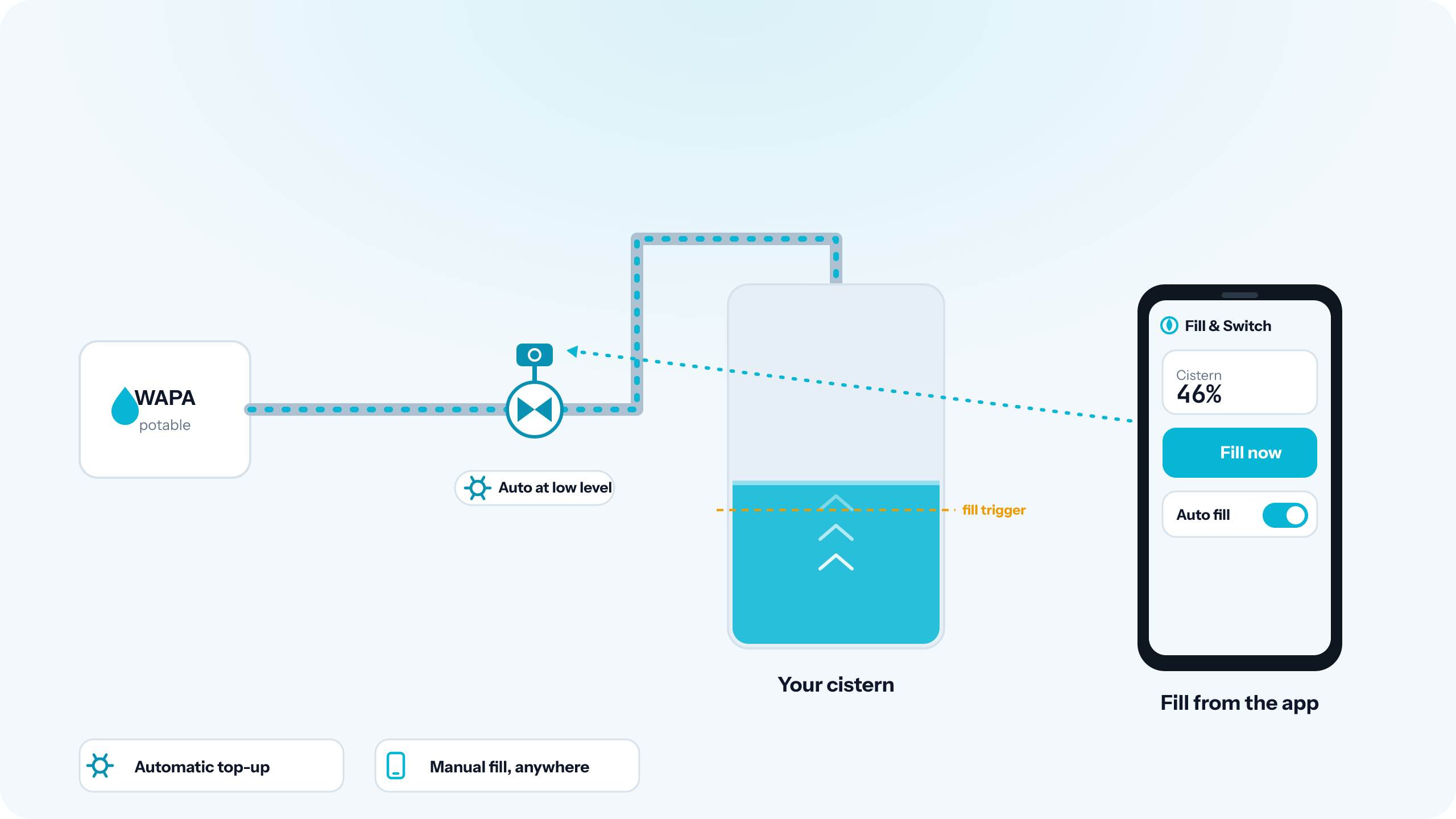
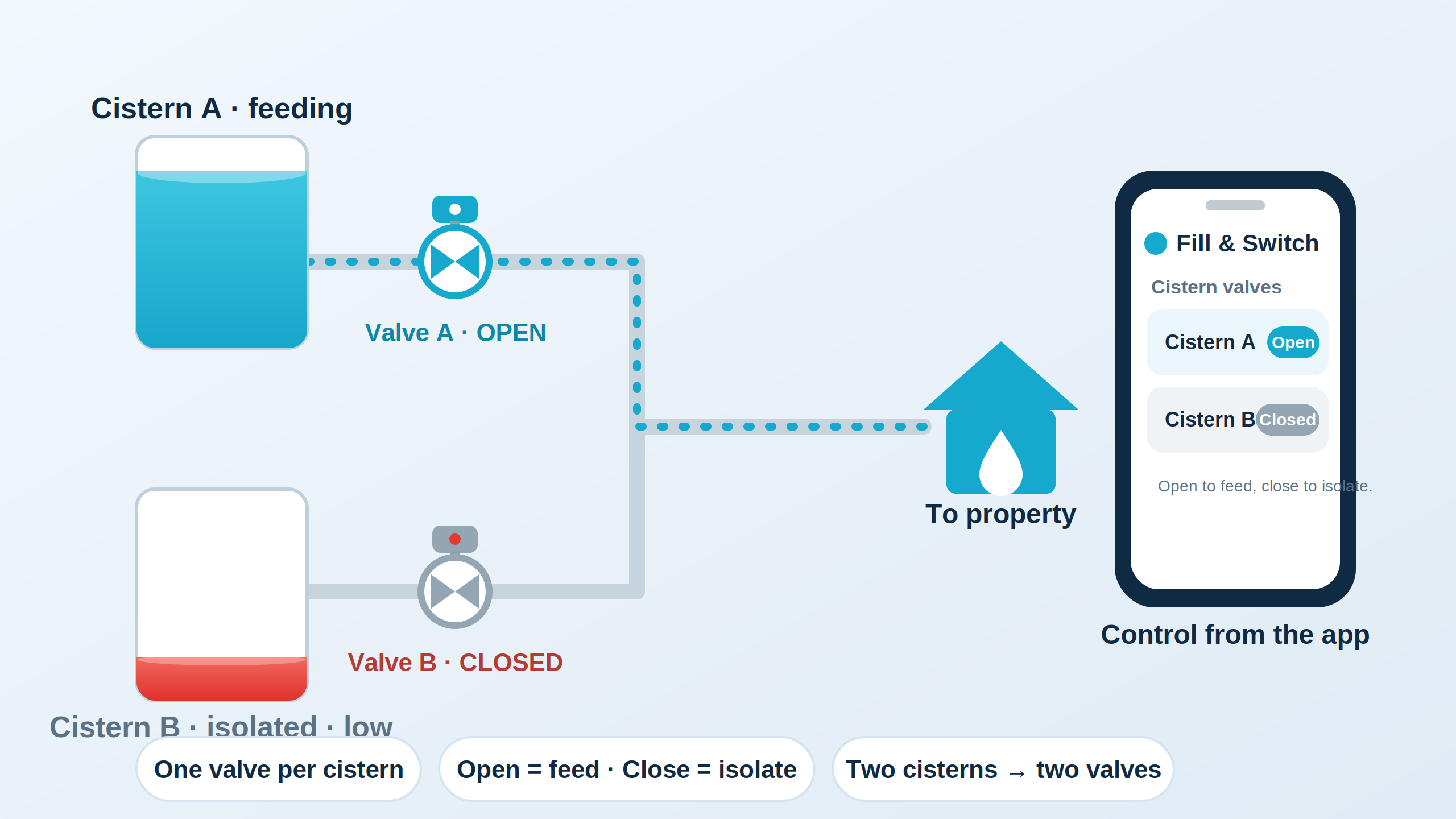
Automatic top-up from WAPA, plus a motorized valve to isolate or feed each cistern — add one per cistern to switch your source. Controlled from the cloud or from on-device automation.
What it does
WAPA potable-water fill
When your cistern drops below a configurable threshold, the valve opens the WAPA line and tops you up — automatically. Closes when you hit the target level. No babysitting the gauge, no scrambling for a truck delivery you didn't see coming.
Isolate or feed any cistern
Put a motorized valve on each cistern's outlet — open the one you want feeding the line and close the others to isolate them. With a valve per cistern you can switch the source on level, on schedule, or manually — handy for rotating tanks or keeping a guesthouse on its own supply.
Cloud control from anywhere
Open the app from your phone and switch sources, force a fill, or pause automation. Same dashboard as the monitor — no second account, no second login.
See it in action
Why you'd add one
- No more waking up to an empty cistern after a string of cloudy days.
- No more guessing which cistern to draw from when you have two and only want to use one.
- No more 2am phone calls to ask someone to flip a valve at the property.
- Audit trail — every fill and switch is logged, so you know exactly when WAPA water came in.
How it works
Install once
We plumb the valve assembly into your WAPA inlet and your cistern outlet manifold. Power and network drop come from your existing electrical service.
Set your thresholds
In the app, set the cistern level that triggers a fill, the target level to stop at, and any times when automation should be paused (overnight, during a known guest stay, etc.).
Let it run
From there it's hands-off. You get a notification every time it opens or switches. Override from the app any time.
Pairs with your existing setup
If you already have a Cistern Monitor on your account, the valve shows up in the same dashboard and uses the same level readings to decide when to act. If you don't — we'll quote both together so you don't pay twice for installation labor.
Stop watching your gauge.
Get a site quote for the valve, the monitor, or both.